TL;DR
No single Shopify affiliate app fits every store. The right pick depends on your revenue stage, budget, and program use case.
- Free plans: UpPromote (200 referral reviews/mo) and GoAffPro (unlimited)
- Lowest paid entry: BixGrow at $14.99/mo, no revenue fee
- Highest review counts: UpPromote (3,289+) and GoAffPro (885+)
- Watch hidden fees: Social Snowball 3% rev fee, Shopify Collabs 2.9% commission processing fee, UpPromote 1–2% rev fee
- Migration cost: Switching apps after launch takes 1–2 weeks of rework
Shopify’s built-in affiliate option, Shopify Collabs, holds the lowest rating among major affiliate apps at 3.9 stars — a signal that merchants want more. That’s why 40+ third-party affiliate apps live on the Shopify App Store.
Picking the wrong one costs more than money.
An app that’s too limited forces months of migration when you outgrow it. Hidden revenue fees erode ROI as the channel scales. And without fraud protection, coupon leaks quietly drain margins you don’t see.
This guide compares the eight most widely used Shopify affiliate apps across 15 criteria — pricing, features, hidden fees, ease of use, and fraud protection. The analysis draws from Shopify App Store data, third-party reviews, and hands-on testing.
Disclosure: UpPromote is our product. This comparison includes its strengths and limitations alongside seven alternatives — and we recommend competitors where they fit better.
What Features Should You Look for in a Shopify Affiliate App?
Eight capabilities are non-negotiable for any serious affiliate program. The rest are growth accelerators worth adding as your program scales.
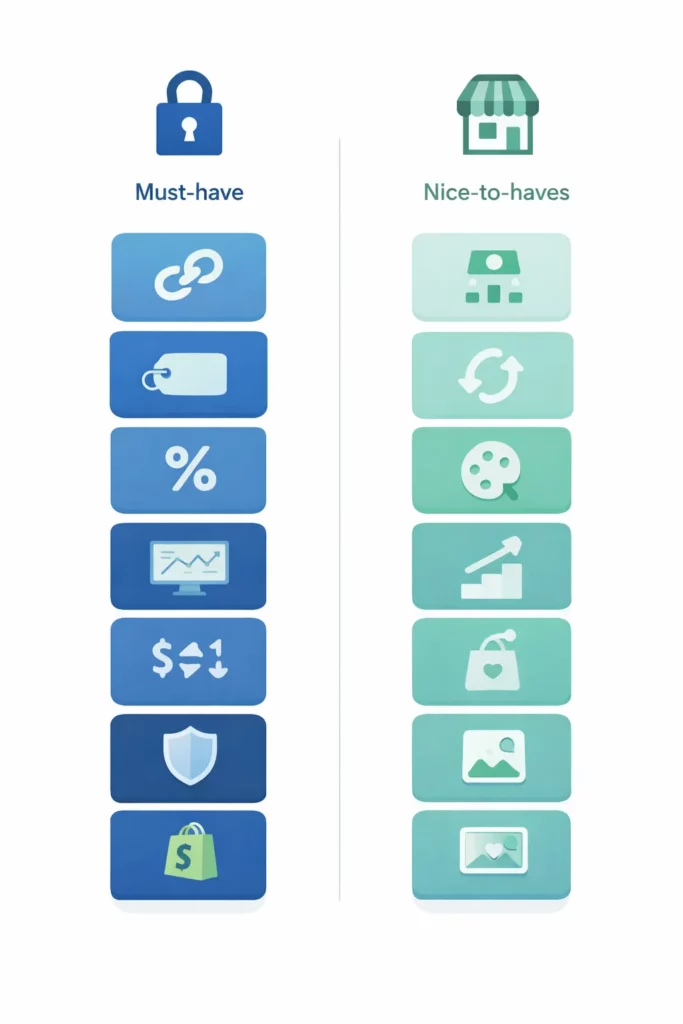
| Priority | Feature | Why It Matters |
| MUST | Affiliate link tracking | Core attribution — without it, you can’t credit sales to partners |
| MUST | Coupon code tracking | Covers TikTok, Instagram, and podcasts where links aren’t clickable |
| MUST | Commission management (% + fixed) | Flexibility to set different rates by product, partner, or program |
| MUST | Affiliate dashboard / portal | Partners need self-serve access to stats, links, and payouts |
| MUST | Auto payout (PayPal / bank) | Manual payout becomes unmanageable past 50 affiliates |
| MUST | Fraud detection / anti-coupon-leak | Protects revenue — affiliate fraud is a documented industry-wide drain |
| MUST | Affiliate registration page | First impression for applicants; collects info you need to vet them |
| MUST | Shopify native integration | Syncs orders, products, and customers automatically |
| Nice | Affiliate marketplace | Passive recruitment — affiliates discover your program |
| Nice | MLM / multi-tier commissions | Scales your program through affiliate-to-affiliate referrals |
| Nice | Recurring / subscription commission | Tracks ongoing commission for subscription products |
| Nice | White-label affiliate portal | Brand consistency — your domain, your design |
| Nice | Auto-tier commission | Automatically increases rates when affiliates hit milestones |
| Nice | Post-purchase auto-enrollment | Converts customers into affiliates at the thank-you page |
| Nice | Media gallery / asset management | Central hub for banners, images, and videos affiliates can grab |
The eight must-haves keep your program functional.
Affiliate link tracking and coupon code tracking form the foundation — without both, you can’t attribute sales across channels where links aren’t always clickable.
The dashboard requirement matters just as much. Partners who can’t self-serve their stats and links will flood your inbox instead.
Two features on that list deserve closer attention.
Auto payout becomes critical faster than most merchants expect.
Managing PayPal transfers manually works fine with ten affiliates, but at fifty it turns into a weekly time sink. Any app without scheduled auto-payout will bottleneck your program the moment it gains traction.
The second is fraud protection — the one merchants underestimate.
According to industry research from CHEQ, roughly 17% of affiliate traffic is fraudulent. Coupon leaks are the most common drain on margins.
Coupon leaks follow a predictable pattern. A customer discovers your affiliate’s discount code on a deal aggregator and uses it on a purchase they’d have made anyway. That’s margin lost on a conversion that was already yours.
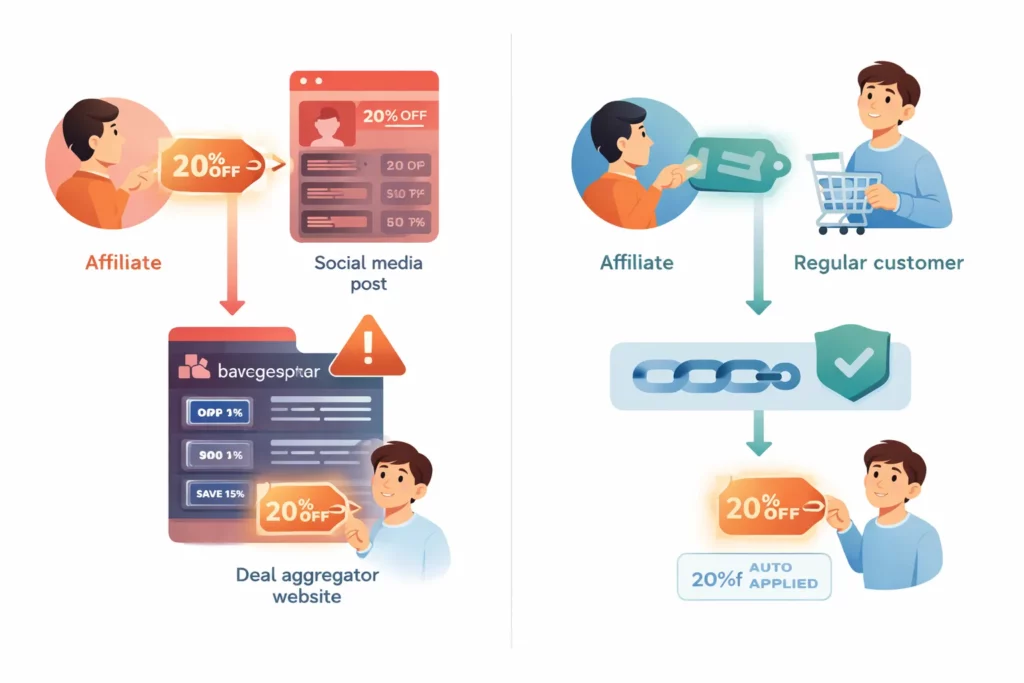
Some apps address this by auto-applying the discount through the affiliate link itself, removing the shareable code from the equation. UpPromote’s Anti-leak discount is the only native version of this approach among the eight apps compared here.
Beyond those eight essentials, the nice-to-have features become relevant as your program matures. That list includes marketplace listing, MLM, recurring commissions, white-label portal, auto-tier, post-purchase enrollment, and media gallery.
The sizing logic is simple. A store running five affiliates doesn’t need multi-level marketing. A store managing 500 does.
Key Takeaway: Confirm your app covers all eight must-haves before comparing nice-to-haves. An app missing fraud detection or auto payout will cost you more than whatever you save on the subscription price.\
How Do the Top 8 Shopify Affiliate Apps Compare?
Eight apps measured across 15 features below — pricing, ratings, fraud protection, and hidden fees included. Every data point comes from Shopify App Store listings and official app websites, verified Q1 2026.
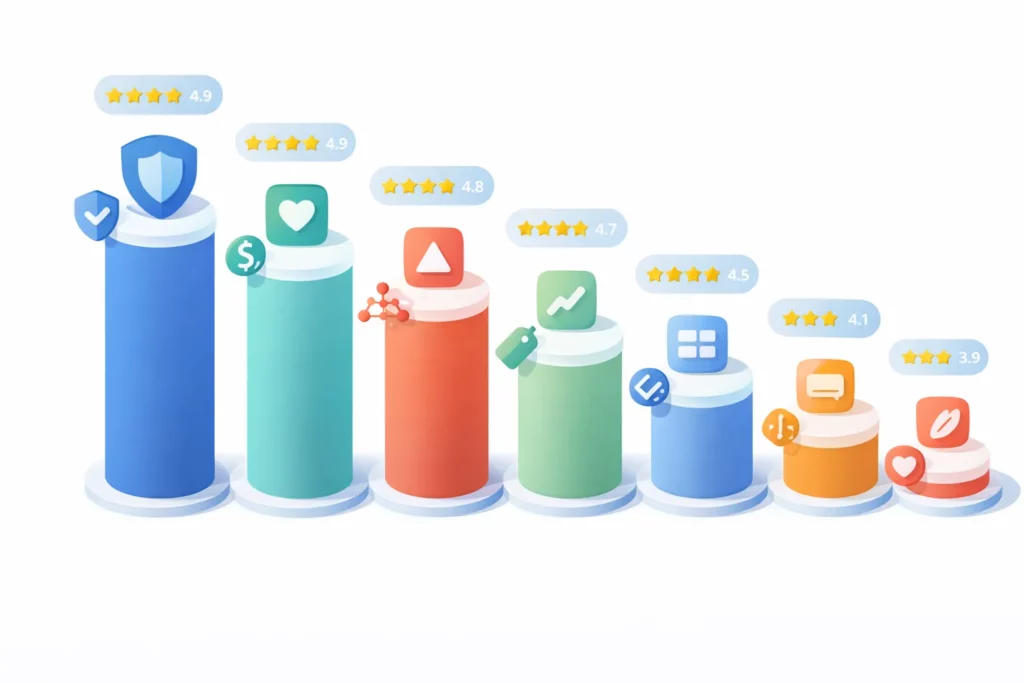
Pricing & Ratings table
| App | Rating | Free Plan | Starting Price | Revenue Fee | Link Tracking |
| UpPromote | 4.9★ (3,289+) | ✅ 200 referral reviews/mo | $29.99/mo | 2% (Growth) → 1% (Enterprise) | ✅ |
| BixGrow | 4.9★ (1,205) | ✅ 50 orders/mo, 30 affiliates | $14.99/mo (SCALE) | ❌ | ✅ |
| GoAffPro | 4.7★ (884+) | ✅ Unlimited | $29/mo | ❌ | ✅ |
| Social Snowball | 4.7★ (187) | ❌ | $249/mo (Snow Day) | 3% affiliate revenue | ✅ |
| Refersion | 4.7★ (~1,017) | ❌ | $99/mo (Professional) | Varies by plan | ✅ |
| ReferralCandy | 4.9★ (1,452) | ❌ | $59/mo | 3.5% commission on referrals | ✅ |
| LeadDyno | 4.4★ (212) | ❌ | $49/mo | Visitor-based overages | ✅ |
| Shopify Collabs | 3.9★ (387) | ✅ | Free | 2.9% payout fee | ✅ |
Tracking, Protection & Recruitment table
| App | Coupon Tracking | Anti-Coupon Leak | Auto Payout | Marketplace | MLM / Multi-Tier |
| UpPromote | ✅ | ✅ Anti-leak discount (Pro+) | ✅ PayPal (Pro+); Store credit (Growth+) | ✅ Built-in (Growth+) | ✅ (Pro+) |
| BixGrow | ✅ | ✅ Auto-applied coupons (PRO) | ✅ PayPal (PRO) | ✅ Built-in (Free+) | ✅ (PRO only) |
| GoAffPro | ✅ | ❌ | ❌ Manual | ❌ | ✅ (Premium) |
| Social Snowball | ✅ | ✅ Safelinks | ✅ Multiple | ❌ | ❌ |
| Refersion | ✅ | ❌ | ✅ | ✅ Network | ❌ |
| ReferralCandy | ✅ | ❌ | ✅ | ❌ | ❌ |
| LeadDyno | ✅ | ❌ | ✅ | ❌ | ❌ |
| Shopify Collabs | ✅ | ❌ | ✅ Shopify Billing | ✅ Collabs Network | ❌ |
Advanced & Scaling Features table
| App | Recurring Commission | Post-Purchase Enroll | White-Label Portal | Auto-Tier Commission | Media Gallery |
| UpPromote | ✅ (5 subscription apps, Growth+) | ✅ Refer-a-friend (Pro+) | ✅ Custom domain (Enterprise) | ✅ (Pro+) | ✅ Free (50MB); unlimited Pro+ |
| BixGrow | ✅ Lifetime/Product (SCALE) | ❌ | ✅ Custom domain (PRO) | ✅ Commission Tiers (PRO) | Basic |
| GoAffPro | ✅ | ❌ | Premium | ✅ (Premium) | ❌ |
| Social Snowball | ❌ | ✅ (Core) | ✅ | ❌ | ✅ |
| Refersion | ✅ | ✅ | ✅ | ✅ | ✅ |
| ReferralCandy | ❌ | ✅ | Basic | ❌ | Basic |
| LeadDyno | ✅ | ❌ | ✅ | ✅ | ✅ |
| Shopify Collabs | ❌ | ❌ | ❌ | Basic | ❌ |
Sources: Shopify App Store listings
A few patterns stand out. Link tracking and coupon tracking are table stakes — all eight apps cover both. The real difference shows in three areas: fraud protection, recruitment tools, and payment flexibility.
Only three apps offer anti-coupon-leak protection: UpPromote, BixGrow, and Social Snowball. The remaining five leave this gap wide open.
MLM support splits the field again. UpPromote, BixGrow, and GoAffPro are the only three with multi-tier commission structures. If network-style growth is part of your strategy, the other five apps are off the table.
⚠️ Hidden Cost Alert
The subscription price on an app listing rarely tells the full story.
Most apps in this comparison charge a revenue-based fee on top of the monthly subscription — and those fees add up fast.
Social Snowball charges $249/mo (Snow Day plan) plus a 3% fee on all affiliate-generated revenue, with a $899/mo Blizzard tier for larger brands. A store generating $10,000/mo in affiliate sales pays at minimum $549/mo total — $249 subscription plus $300 in revenue fees.
UpPromote charges a revenue fee that decreases with higher plans: 2% on Growth, 1.5% on Professional, 1% on Enterprise. At $10,000/mo, that’s $200/mo on Growth or $100/mo on Enterprise — lower than Social Snowball, but not zero.
ReferralCandy charges $59/mo plus a 3.5% commission on successful referral sales. At $10,000/mo in affiliate revenue, that adds $350/mo on top of the subscription — closer to the revenue-fee model than a true flat fee.
Shopify Collabs looks free on the surface, but applies a 2.9% processing fee on every commission payout. That fee stays invisible until your first payment cycle.
By contrast, BixGrow and GoAffPro use simple flat-fee pricing with no revenue percentage. The monthly subscription is the monthly cost, regardless of how much affiliate revenue you generate. LeadDyno also lists flat pricing but charges visitor-based overage fees on legacy plans — verify your plan terms before committing.
Key Takeaway: Always check for revenue-based fees beyond the listed subscription price. True flat-fee apps (BixGrow, GoAffPro) keep costs predictable as your affiliate channel scales. ReferralCandy, Social Snowball, UpPromote, and Shopify Collabs all add per-sale or per-payout fees that grow with your program.
Which App Is Best for YOUR Store?
There’s no single best app. The right choice depends on three factors: your store’s revenue, your budget for tools, and the use case driving your affiliate strategy.
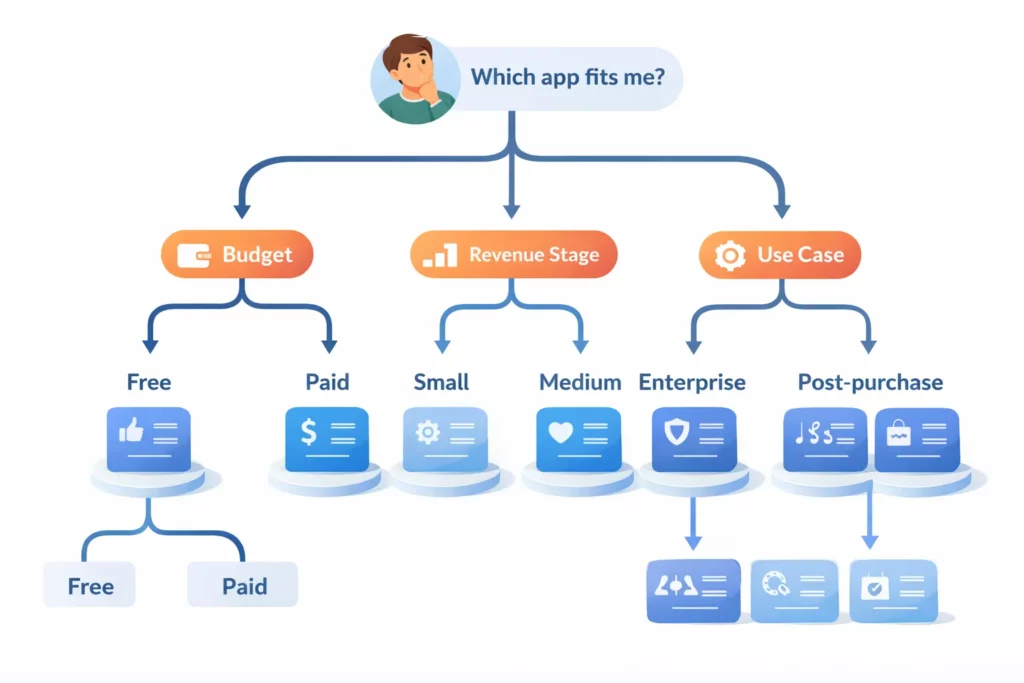
The decision guide below matches ten common store profiles to specific picks.
| Store Profile | Best Fit | Runner-Up | Why |
| New store, $0 budget | GoAffPro Free | UpPromote Free | GoAffPro offers unlimited orders on free. UpPromote caps at 200 referral reviews/mo but bundles fraud detection. |
| Small store, $5K–10K/mo revenue | UpPromote Free → Growth | BixGrow | UpPromote’s free plan covers early months. Upgrade to Growth ($29.99 + 2%) when you need marketplace access. |
| Growing store, $10K–30K/mo | BixGrow SCALE or UpPromote Growth | GoAffPro Premium | BixGrow SCALE ($14.99/mo) keeps cost predictable. UpPromote Growth adds marketplace recruitment but charges a 2% revenue fee. |
| Scaling store, $30K–100K/mo | UpPromote Professional | Refersion | UpPromote at $89.99 + 1.5% unlocks Anti-leak discount, MLM, and auto-tier commission. Refersion better for influencer-heavy brands. |
| Enterprise, $100K+/mo | Refersion or UpPromote Enterprise | Impact | Enterprise programs need robust API access and multi-store support. UpPromote Enterprise charges 1% revenue fee. |
| Post-purchase enrollment focus | Social Snowball | UpPromote | Social Snowball’s core product is built around post-purchase. Factor in the 3% revenue fee plus $249/mo Snow Day subscription before committing. |
| MLM / multi-tier program | UpPromote Professional | BixGrow PRO | Only three apps support MLM. UpPromote unlocks it on Professional ($89.99/mo); BixGrow on PRO ($24.99/mo); GoAffPro on Premium ($29/mo). |
| Referral + affiliate hybrid | UpPromote | ReferralCandy | Both support dual programs. UpPromote adds a built-in marketplace for passive recruitment. |
| Budget-conscious, basics only | BixGrow STARTER (Free) | GoAffPro Free | BixGrow’s free plan covers 50 orders/mo with 30 affiliates. GoAffPro’s free plan is unlimited. |
| Migrating from Shopify Collabs | UpPromote | Refersion | Collabs’ 3.9★ rating reflects real limitations. Migration improves tracking, fraud protection, and commission flexibility. |
Recommendations based on feature set, pricing structure, and merchant feedback as of Q1 2026.
One real-world data point on that last row: Altenew, an arts brand, moved from ShareASale to Shopify Collabs to UpPromote. The brand now tracks 25,000 affiliate orders per year, with affiliates driving 15–25% of total revenue.
Three scenarios cover the majority of Shopify merchants, so they’re worth expanding on.
New stores with zero budget have two legitimate free options. GoAffPro’s free plan has no order cap — ideal if you want to test without limits.
UpPromote’s free plan caps at 200 referral reviews per month. But it bundles fraud detection and a registration page that GoAffPro’s free tier doesn’t match.
The deciding factor: unlimited volume, or a more complete feature set out of the box.
Growing stores between $10K–30K/mo face the most consequential pricing decision. A flat-fee app like BixGrow SCALE ($14.99/mo) stays at the same monthly cost whether your affiliates generate $10K or $30K. UpPromote Growth adds marketplace recruitment — a feature flat-fee apps lack.
The tradeoff is feature depth versus stable costs. UpPromote’s 2% revenue fee adds $200–$600/mo on top of the $29.99 subscription at those volumes. Anti-leak discount and MLM only unlock at the Professional tier.
MLM-focused programs have only three options in this comparison: UpPromote, GoAffPro, and BixGrow. The other five apps don’t support multi-tier structures at all.
If network-style affiliate growth is central to your model, this single requirement eliminates five of eight contenders before you evaluate anything else.
What Are the Real Costs?
The price on an app listing is not your actual cost. Three cost layers stack on top of each other.
First, the monthly subscription. Second, revenue-based fees if the app charges a percentage of affiliate sales. Third, payment processing — PayPal takes 2.9% on every payout.
Year 1 totals look very different once you account for all three.
| App | Monthly Sub | Revenue/Commission Fee | PayPal Fee (~2.9% of payouts) | Year 1 TOTAL |
| Shopify Collabs | $0 | $22/mo (2.9% on payouts) | Included | $264 |
| BixGrow STARTER | $0 (free) | $0 | ~$22/mo | $264* |
| BixGrow SCALE | $14.99 | $0 | ~$22/mo | $444 |
| GoAffPro Premium | $29 | $0 | ~$22/mo | $612 |
| LeadDyno | $49 | Possible visitor overages | ~$22/mo | $852+ |
| Refersion Professional | $99 | Varies by plan | ~$22/mo | $1,452+ |
| UpPromote Growth | $29.99 | $100/mo (2%) | ~$22/mo | $1,824 |
| ReferralCandy | $59 | $175/mo (3.5%) | ~$22/mo | $3,072 |
| Social Snowball Snow Day | $249 | $150/mo (3%) | ~$22/mo | $5,052 |
Assumptions: $5K/mo affiliate revenue, 15% average commission rate = $750/mo in payouts. PayPal fee ~2.9% on payouts ≈ $22/mo.
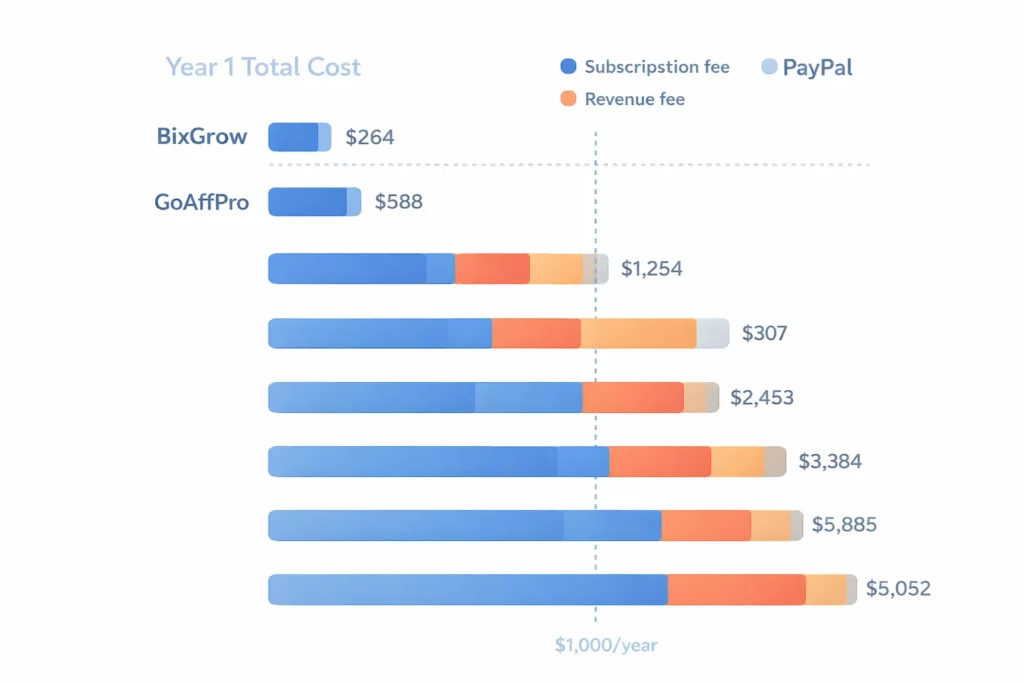
The table reveals a cost spectrum that subscription prices alone obscure.
Two apps stand out as cheapest at low volume: Shopify Collabs ($264/year) and BixGrow STARTER ($264/year, capped at 50 orders/month).
The flat-fee mid-tier — BixGrow SCALE, GoAffPro Premium, and LeadDyno — clusters between $444 and $852.
The revenue-fee apps tell a different story.
UpPromote Growth lands at $1,824/year. ReferralCandy hits $3,072 once you factor in its 3.5% commission. Social Snowball Snow Day reaches $5,052 with the $249/mo subscription plus 3% on revenue.
Here’s where it gets uncomfortable for stores that scale.
At $20K/mo in affiliate revenue, Social Snowball’s revenue fee alone jumps to $600/mo on top of the $249 subscription. UpPromote Growth’s 2% adds $400/mo. ReferralCandy’s 3.5% adds $700/mo. BixGrow SCALE stays at $14.99.
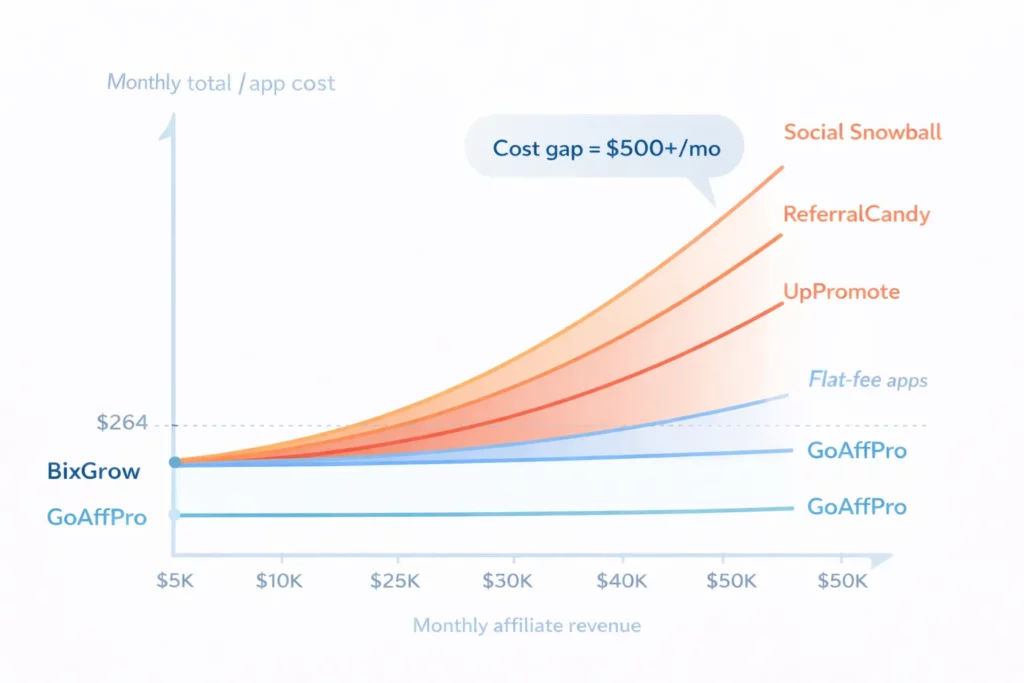
The pattern is clear. Flat-fee apps don’t move — but the revenue-fee apps climb in lockstep with your affiliate channel.
That’s the core tradeoff. Revenue-based pricing feels cheap at low volume because the dollar amount is small.
Once your affiliate channel hits $10K–20K/mo, the math shifts. UpPromote softens this by dropping the percentage on higher plans — 1.5% on Professional, 1% on Enterprise.
Merchants who upgrade as they scale pay a smaller cut. But flat-fee apps remove the variable altogether.
Shopify Collabs: Should You Use It or Skip It?
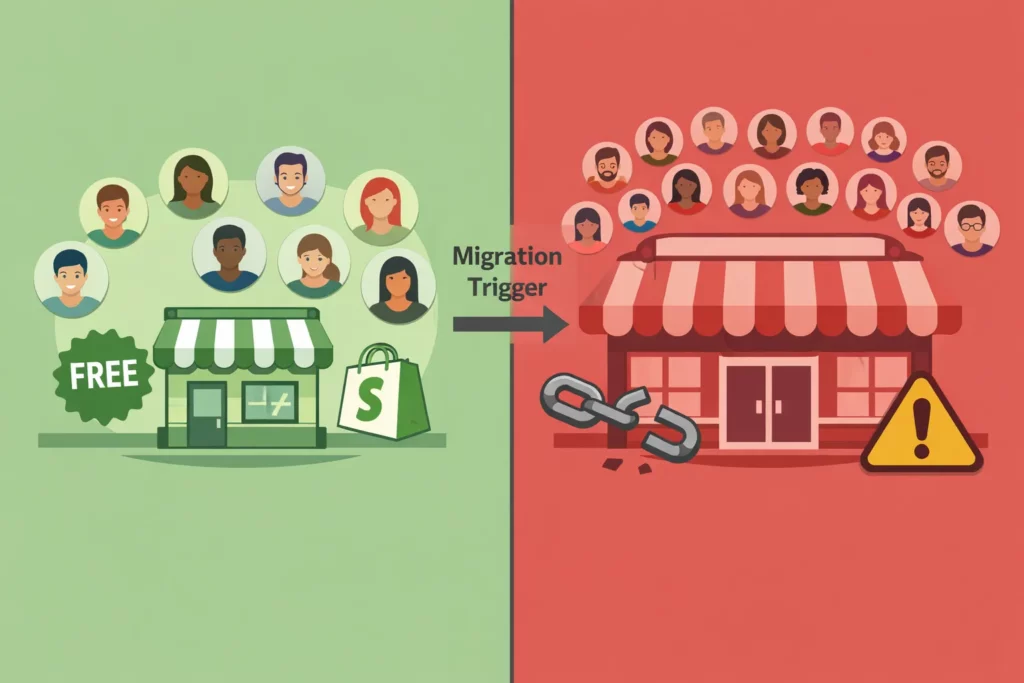
Shopify Collabs is the only affiliate option built into Shopify — and it’s free to install. But a 3.9-star rating across 387 reviews makes it the lowest-rated app in this guide.
Merchant feedback points to specific feature gaps that explain why. Whether Collabs fits your store depends on where you are in your affiliate journey.
| Pros | Cons |
|
|
The cons column runs more than twice as long as the pros, and merchant reviews flag the same friction points.
Third-party reviewers report similar limitations. Tracking and reporting capabilities lag dedicated affiliate platforms, and creator quality within the Collabs Network varies widely.
The 2.9% payout fee deserves clarification. It’s charged on commission payments through Shopify Billing, not on affiliate revenue.
At $5K/mo affiliate revenue with a 15% commission rate, monthly commission payouts are around $750. The 2.9% fee on those payouts adds roughly $22/mo, or $264/year.
That makes Collabs the cheapest option in this comparison at low affiliate volume, but the cost calculation is only one piece of the picture.
So when does Collabs actually make sense?
It works for one specific scenario. A store testing affiliate marketing for the first time, with fewer than 10 partners and limited tool budget. In that context, Collabs offers free entry plus the Collabs Network as a basic discovery channel.
The migration trigger is feature-driven, not cost-driven. Once your program crosses 20 active affiliates, the feature gaps start costing real money. No fraud protection, no anti-leak discount, no MLM, no auto-tier commissions — the lost revenue and manual work outweigh a paid app’s subscription.
📍The other constraint: Shopify Collabs requires a Shopify Advanced or Plus subscription. If you’re on Basic or Shopify, the app is unavailable regardless of cost.
→ Full breakdown: Shopify Collabs vs. UpPromote: Detailed Comparison
Frequently Asked Questions
Can you switch affiliate apps after you’ve already launched?
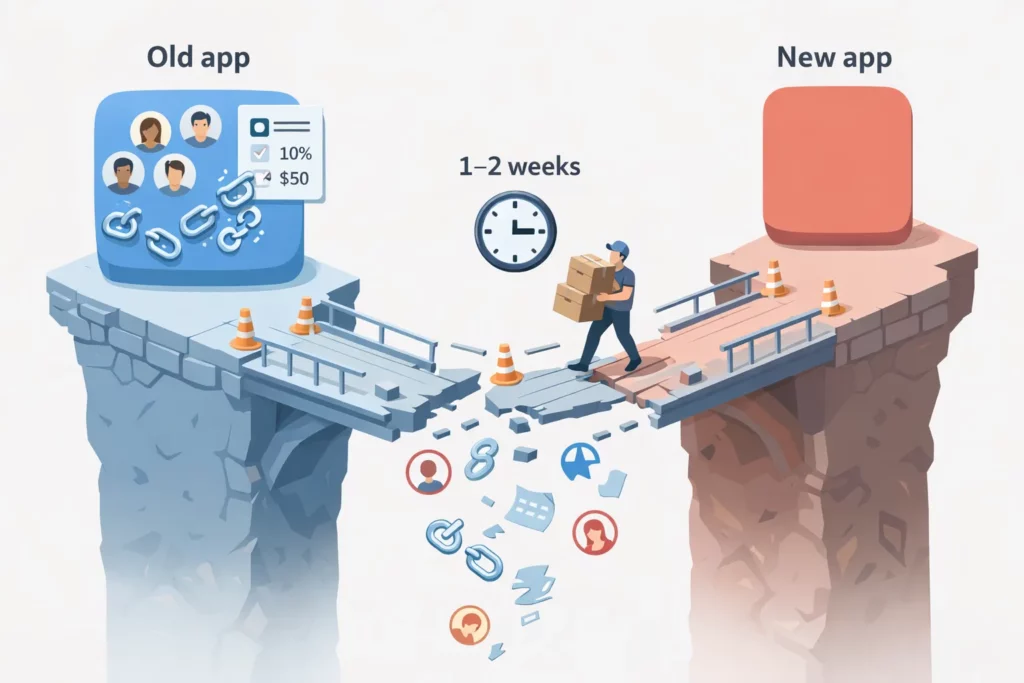
Yes, but it’s costly. Migration involves re-inviting every affiliate, re-configuring commission structures, re-setting up tracking, and re-building your registration page from scratch.
Most merchants report the migration takes one to two weeks of active work. Existing affiliate links break right away — every partner needs to update their links, and any they miss become dead ends.
Choosing the right app upfront avoids weeks of rework and the risk of losing active affiliates mid-transition.
Is a free plan enough for a serious affiliate program?
For the first three to six months, yes. UpPromote’s free plan supports up to 200 referral reviews per month, which covers most stores under $10K/mo in revenue.
GoAffPro’s free plan removes that cap — unlimited orders, unlimited affiliates. The upgrade trigger is specific: you’ll need a paid plan when you want features like marketplace listing, auto-tier commissions, or advanced analytics.
Until then, you’re wasting budget on features you don’t need yet.
Which apps should you avoid entirely?
Four red flags signal apps to skip. A rating below 4.5 stars usually signals systemic issues with tracking or support. No fraud detection means coupon leaks and fake referrals go unchecked.
No updates in six months or longer suggests the developer has walked away. Watch for high revenue fees above 3% that aren’t disclosed on the pricing page. That points to a cost structure designed to surprise you later.
Reading one-star reviews before installing is the fastest way to surface these problems.
How long does it take to install and configure an app?
Fifteen to thirty minutes for a basic setup — install, set commission rates, and publish your registration page. Full configuration takes one to two hours and includes tracking setup, uploading marketing materials, connecting payment methods, and enabling fraud protection.
Most apps include a guided onboarding wizard that walks through each step. The setup time is about the same across all eight apps in this guide.
Do affiliate apps slow down your website?
The impact is minimal for most apps. Affiliate tracking runs server-side, so it doesn’t add JavaScript to your storefront in a way that affects page load.
The exception is apps that add visible elements to your storefront. A post-purchase popup or a referral widget on product pages can add 50–100ms of load time.
Google PageSpeed Insights is the easiest way to measure actual impact. Run it on your store before and after installation to see the difference. In most cases, the impact is undetectable to shoppers.
Is this comparison biased because UpPromote is your product?
This article lists specific pros and cons for all eight apps, including UpPromote. We recommend GoAffPro over UpPromote for stores that need unlimited free orders.
BixGrow wins when lowest cost and zero revenue fees are the priority. Social Snowball fits best for stores built around post-purchase enrollment.
UpPromote’s own limitations include a 200-referral-review cap on the free plan and revenue-based fees on all paid plans. Those fees run 2% on Growth, 1.5% on Professional, and 1% on Enterprise. Advanced features like Auto-discount and MLM only unlock at Professional.
The data in this guide comes from Shopify App Store listings and official app websites. Readers can verify every data point on their own.

Ellie Tran, a seasoned SEO content writer with three years of experience in the eCommerce world. Being a part of the UpPromote team, Ellie wants to assist Shopify merchants in achieving success through useful content & actionable insights.Ellie's commitment to learning never stops; she's always eager to gain more knowledge about SEO and content marketing to create valuable content for users. When she's not working on content, Ellie enjoys baking and exploring new places.

![How to Use Shopify Functions with Your Affiliate Program [2026 Guide]](https://static.uppromote.com/wp-content/uploads/2026/06/how-to-use-shopify-functions-with-affiliate-program-300x169.webp)

![How to Prevent Affiliate Fraud on Shopify: Self-Referral, Coupon Abuse & More [2026]](https://static.uppromote.com/wp-content/uploads/2026/06/how-to-prevent-affiliate-fraud-on-shopify-300x169.webp)