TL;DR
An affiliate welcome kit is the collection of assets (brand guidelines, product images, sample captions, FTC rules, and link access instructions) that new affiliates need to start promoting on Day 1.
- What’s included: 8 assets covering brand voice, visuals, content templates, compliance, and earnings context
- Time to create: 2.5–3.5 hours (one-time, reusable for every new affiliate)
- Priority split: 4 must-haves for Day 1, 4 recommended within Week 1
- Delivery: Hosted in your affiliate portal, linked in the approval email
- Core problem it solves: Most affiliate programs lose partners in the first 30 days due to missing onboarding materials, not low commission rates
Affiliate signup does not equal “ affiliate active ”. That gap is the biggest leak in most affiliate programs.
A merchant recruits 50 affiliates. Ten post content. Five drive sales. The other 40 go silent.
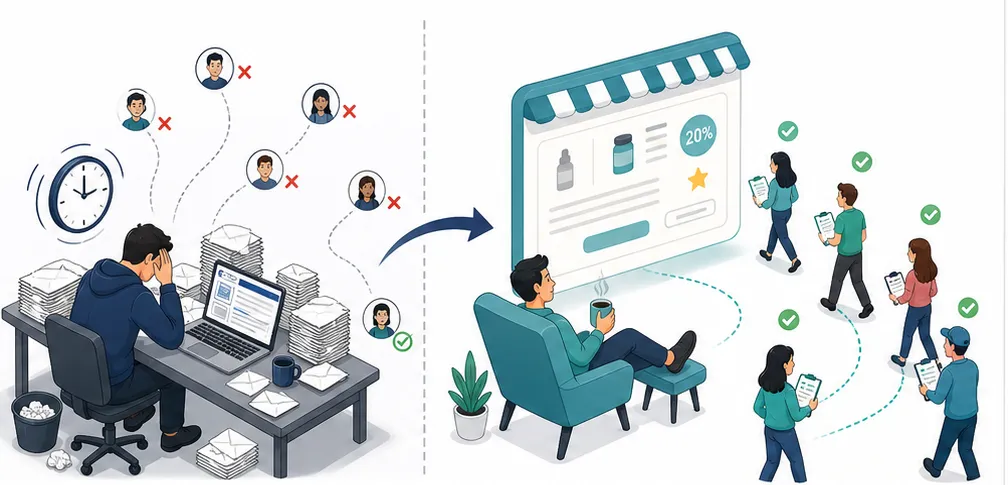
The reason is rarely motivation. It is friction. New affiliates do not know what to say about the product, which images they can use, how to disclose the partnership, or where to find their tracking link.
Most programs lose affiliates in the first 30 days because there is no onboarding. The affiliate signs up, gets a link, and hears nothing.
A welcome kit fixes that by answering every question before it gets asked. This article covers the eight assets your kit needs, how to build each one, and three ways to deliver it so affiliates start posting within their first week.
Why Does a Welcome Kit Matter More Than Commission Rate?
Most inactive affiliates do not ghost because commission is too low. They ghost because they do not know where to start, what to say, which images to use, or how to handle FTC disclosure.
Commission rate gets affiliates to sign up. The welcome kit is what gets them to post.
The friction shows up in three places.
First, affiliates stall on content because they have no talking points, no product USPs, and no sample captions to adapt. A welcome kit with pre-written templates turns a blank screen into a ten-minute task.
Second, affiliates lack usable images . A folder of lifestyle shots and white-background product photos removes that blocker — no photography needed on their end.
Third, new affiliates worry about compliance. They have heard about FTC rules but do not know the specifics, when to disclose, what language to use, where to place it. A one-page disclosure guide eliminates the guesswork and protects both sides.
The pattern across these three blockers is consistent. Let’s see how onboarding completeness shapes affiliate behavior in the first month.
| Onboarding level | Typical affiliate behavior |
| Full kit + check-in within first week | Posts content within days, asks questions early, stays active past Month 1 |
| Link and dashboard access only | Delays posting, waits for direction, often drifts silent within two weeks |
| No onboarding materials | Never posts, never returns — effectively churned on arrival |
Efavormart invested in the support side of that equation. The gifts and special events brand provided affiliates with training resources alongside its commission structure
The training resources did not replace commission. They made commission earnable by giving affiliates the knowledge and materials to actually promote.
What Should an Affiliate Welcome Kit Include?
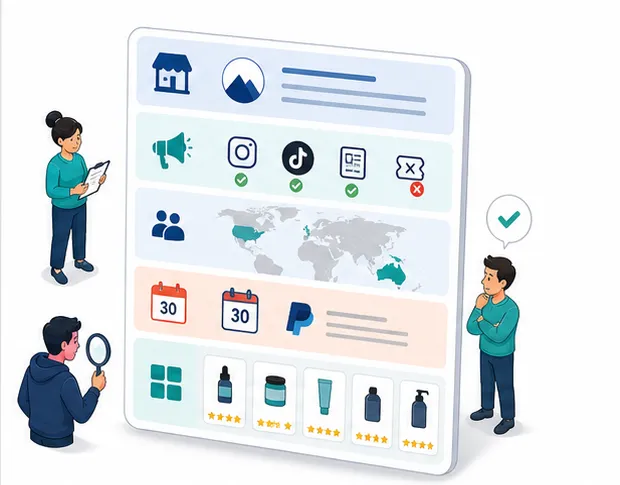
A complete welcome kit covers eight assets in two tiers: four must-haves for Day 1 , and four recommended additions within the first week .
The must-haves remove the biggest friction points, no brand guidance, no images, no captions, no compliance clarity.
We recommending offering some assets such as content angle ideas, a product FAQ, and an earnings guide that shows affiliates what is realistic.
Building all eight from scratch takes roughly 2.5 to 3.5 hours.
However, that is a one-time investment. Every new affiliate who joins your program gets the same kit without additional work.
| # | Asset | Format | Est. time | Priority |
| 1 | Brand voice & visual guidelines | 1–2 page PDF | 30–45 min | Must-have |
| 2 | Product images (lifestyle + white background) | Image folder (15–20 files) | 15–30 min | Must-have |
| 3 | Sample captions by platform | Text document | 30–45 min | Must-have |
| 4 | FTC disclosure rules | 1-page guide | 15 min | Must-have |
| 5 | Content angle ideas | Text document (10–15 ideas) | 20–30 min | Recommended |
| 6 | Product FAQ sheet | 1-page document | 20 min | Recommended |
| 7 | Link and code access guide | Screenshot walkthrough | 10 min | Must-have |
| 8 | Earnings potential guide | 1-page with examples | 15 min | Recommended |
How to Build Each Welcome Kit Asset
In this section walks through how to build each asset, what to include, what to skip, and common mistakes to avoid.
Brand Voice and Visual Guidelines
Brand guidelines sit at the top of the checklist because every other asset depends on them.
If affiliates do not know your tone, your visual rules, or your approved claims, the captions and images they create will miss the mark.
Keep this document to one or two pages. Cover four areas and nothing more.
The first area is voice and tone — three to five adjectives that describe how your brand sounds, plus example phrases affiliates can use and phrases they should avoid.
“ I genuinely love this product because… ” is fair game. “ This is the BEST product EVER !” is not.
The second area is visual rules : logo files in light and dark versions, brand color hex codes, and a short list of dos and don’ts. “Use our product images as-is” belongs here. So does “Do not add filters that change product color.”
Third, list your approved claims . If your product is vegan and cruelty-free, say so. If it has not been clinically tested, mark that claim as off-limits. Affiliates need a clear boundary between what they can say and what crosses into legal risk.
Fourth, summarize prohibited activities — no spam, no trademark bidding, no unauthorized coupon posting — and link to your full affiliate agreement for the details.
Product Images
Brand guidelines tell affiliates what to say. Product images give them something to show; and without ready-to-post visuals, most affiliates will not create their own.
Three image types cover the majority of affiliate use cases.
| Type | Quantity | Primary use |
| Lifestyle shots | 8–10 images | Social media posts, stories, reels |
| White-background product photos | 5–8 images | Blog reviews, comparison posts |
| Banner ads | 3–4 sizes (728×90, 300×250, 1080×1080) | Blog sidebars, email newsletters |
You should aim for fifteen to twenty images total. They do not need to be studio-level.
Clean, well-lit product shots in realistic settings outperform polished ads in most affiliate content.
Some affiliate apps include a shared media library where you upload images once and every approved affiliate downloads what they need.
UpPromote’s media gallery , for example, hosts product photos, banners, and logos in one place. Affiliates grab assets from their account without email requests or shared drive links.
Sample Captions by Platform
Images get attention. Captions drive the click. Tthey are the asset most affiliates will use within minutes of opening the kit.
The goal is not copy-paste content. It is a starting structure that affiliates adapt to their own voice.
You can include a note in the kit: “ These are starting points. Adapt them to your style — authentic content outperforms copy-paste every time. ”
Here is one Instagram caption template that covers the most common format:
I have been using [Product] for [timeframe] and here is my honest take.
[2–3 sentences on personal experience]
What I love most: [specific benefit].
If you want to try it, use my link in bio for [X]% off your first order.
#ad #[brandhashtag]
You can build similar templates for TikTok scripts, YouTube descriptions, and blog review posts, with each adjusted for that platform’s format and length.
One important note is that every template should include an FTC disclosure line. Affiliates who see disclosure built into the template from the start treat it as standard practice rather than an afterthought.
Supporting Materials: FTC Rules, Content Ideas, FAQ, Link Guide, and Earnings Guide
The first three assets handle the core posting workflow: voice, visuals, and captions. The remaining five fill the gaps that cause affiliates to stall after their first post or avoid posting altogether.
An FTC disclosure guide fits on a single page. Cover when to disclose (every post with an affiliate link or code), how (“#ad” or a clear written statement), and where (visible — not buried in hashtags).
You can add the consequence: non-disclosure means removal from the program. That one line keeps compliance front of mind.
A content angle list gives affiliates a starting point when they run dry. Ten to fifteen ideas — honest reviews, daily routines, comparison posts, unboxing reactions — with a note on which platform fits each one.
A product FAQ sheet answers the ten questions customers ask most: ingredients, shipping times, return policy, sizing, compatibility. Affiliates reference it when their audience asks and they do not want to guess.
A link and code access guide walks affiliates through two actions: finding their tracking link and finding their assigned discount code.
If you want to skip the walkthrough, look for an app that auto-generates both on approval. UpPromote supports automated link and coupon creation — affiliates see them the instant they log in.
An earnings potential guide rounds out the kit. Map audience size to estimated clicks, conversions, and monthly earnings at your commission rate.
Keep assumptions visible: click-through rate, conversion rate, average order value. Honest math builds trust before the first sale.
How Should You Deliver the Welcome Kit?
The best delivery method is one affiliates can access anytime without asking. A hosted portal works as the primary channel; a welcome email works as the backup.
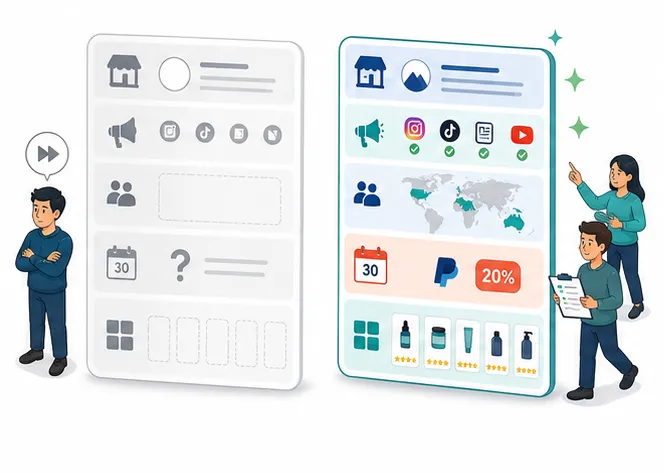
The right choice depends on your tools and affiliate volume. The table below compares the three most common methods.
| Method | Strength | Limitation | Best for |
| Affiliate portal (media library) | Always accessible, automatic for every new affiliate | Requires an app with media hosting | Stores using an affiliate app |
| Google Drive shared folder | Easy setup, no tech needed | Manual link sharing, no built-in access control | Any store, any platform |
| Welcome email attachment | Immediate delivery on approval | File size limits, easy to lose in inbox | Backup alongside a portal |
A portal works especially well once your affiliate base grows past the first dozen partners. Sending files manually does not scale, and affiliates who cannot find materials will not ask twice.
Altenew , an arts and crafts brand, runs this centralized approach at scale. The brand organizes promotional materials into folders inside UpPromote’s media gallery — separating product images, seasonal campaigns, and brand assets.
What Changed in 2026?
Welcome kits are not new. Three shifts in the past year have changed how the best Shopify affiliate programs build and deliver them.
Video walkthroughs are replacing text-only guides
A short Loom walkthrough of the portal and materials adds a personal touch that a PDF cannot match. Affiliates revisit the video instead of emailing your team.
Platform-specific kits are replacing one-size-fits-all packages
Each platform needs its own assets — square images for Instagram, vertical scripts for TikTok, description templates for YouTube. Segmenting kit materials by platform lifts content quality.
UGC rights clauses are becoming standard
More brands now include a content licensing line in the kit — “ We may repost your content on our brand channels with credit .”
Affiliates expect that transparency upfront. Adding it to the kit prevents awkward conversations later.
These shifts share one theme. The welcome kit is moving from a static document to a living resource that adapts to how affiliates create content.
Frequently Asked Questions
How long does it take to create a welcome kit from scratch?
Roughly 2.5 to 3.5 hours for all eight assets. Brand guidelines and sample captions take the longest at 30 to 45 minutes each. The kit is a one-time build — update it quarterly rather than rebuilding for each new affiliate.
Do I need a separate kit for each affiliate?
No. One kit covers all affiliates. Customize only when you work with affiliates promoting different products (swap product-specific images and FAQ) or affiliates on different platforms (swap caption templates). The core assets — brand guidelines, FTC rules, link access guide — stay the same.
How long should the kit be?
Eight to twelve pages total across all assets, with each individual asset at one to two pages maximum. If an affiliate cannot read the entire kit in fifteen minutes, it is too long. Shorter and scannable beats comprehensive and unread.
Should I include a video walkthrough?
A video is recommended but not required. A two-to-three-minute screen recording covering the portal, materials, and first posting steps gives affiliates a visual reference. Text-based kits work on their own — video is a bonus that speeds up activation for visual learners.
How often should I update the kit?
Review quarterly. Update when you launch new products (swap images and FAQ), run seasonal campaigns (add holiday content angles), or when platform algorithms shift content strategy. Mark “Last Updated” on the cover so affiliates know the materials are current.
What if affiliates are not using the kit materials?
Two common causes. First, they may not know the kit exists — highlight it in the approval email and follow up on Day 3 with a direct link. Second, the materials may not fit their content style — ask what would help them post and update the kit based on that feedback.

Ellie Tran, a seasoned SEO content writer with three years of experience in the eCommerce world. Being a part of the UpPromote team, Ellie wants to assist Shopify merchants in achieving success through useful content & actionable insights.Ellie's commitment to learning never stops; she's always eager to gain more knowledge about SEO and content marketing to create valuable content for users. When she's not working on content, Ellie enjoys baking and exploring new places.

![How to Use Shopify Functions with Your Affiliate Program [2026 Guide]](https://static.uppromote.com/wp-content/uploads/2026/06/how-to-use-shopify-functions-with-affiliate-program-300x169.webp)

![How to Prevent Affiliate Fraud on Shopify: Self-Referral, Coupon Abuse & More [2026]](https://static.uppromote.com/wp-content/uploads/2026/06/how-to-prevent-affiliate-fraud-on-shopify-300x169.webp)