




Influencer gifting sounds simple. You send a creator something they’ll like, they post about it, and their followers buy.
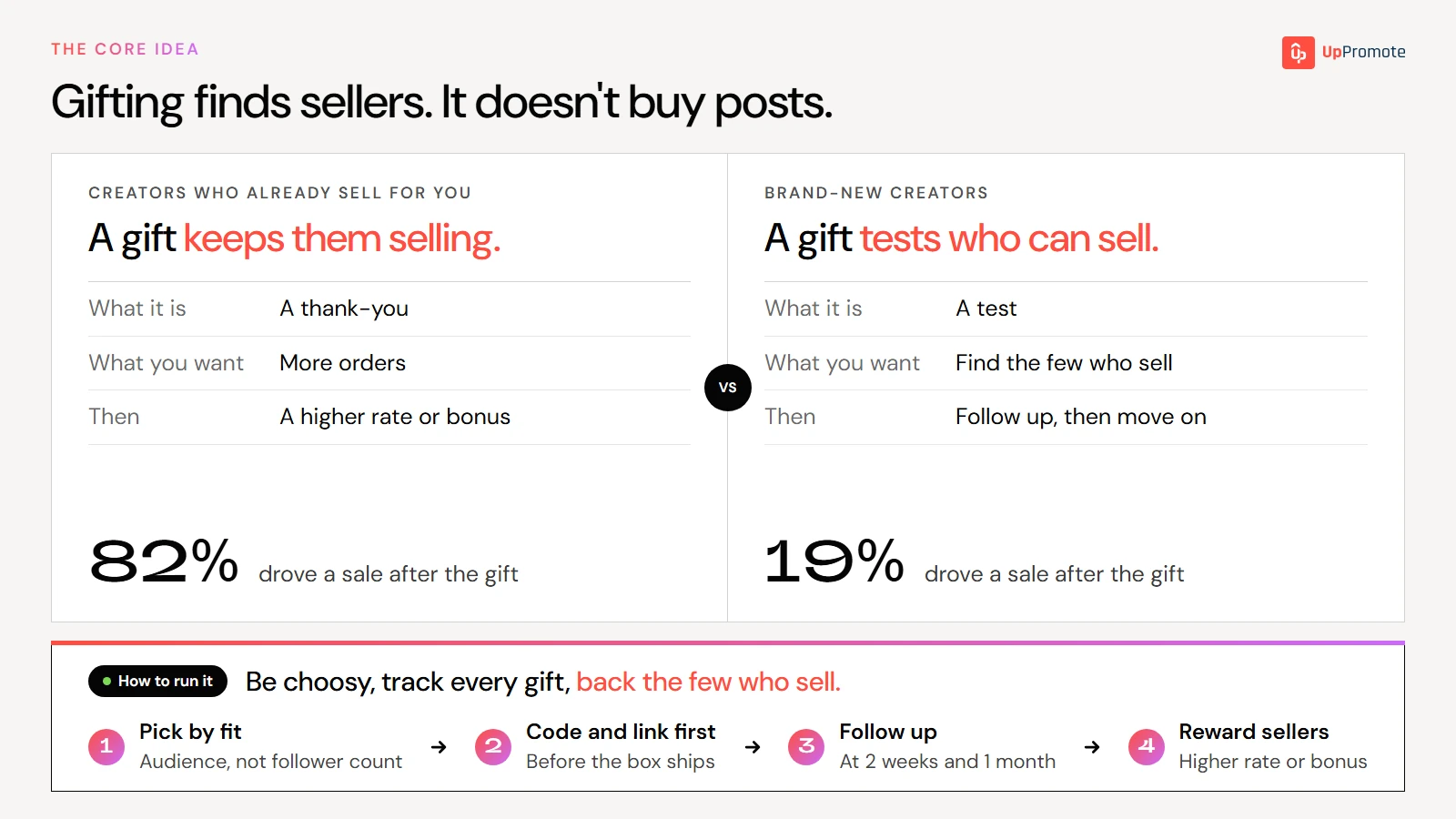
In practice, most gifts bring nothing back. We looked at gifts Shopify stores sent through UpPromote over nine months. When the gift went to brand-new creators, only about one in five went on to drive a sale.
That isn’t a reason to stop gifting. It’s a reason to be choosy about who gets the box. Pick creators whose audience already looks like your customers. Give each one a code and link so their first post can earn them commission. Follow up at the right time, and put more behind the few who sell.
This guide covers how to do that step by step, with what our data shows at each step.
What is influencer gifting?
Influencer gifting means sending free product to creators so they can try it and, if they like it, show it to their audience. You usually don’t pay them for the post. The product is the offer.
Brands gift both new creators, to find out who can sell, and creators who already sell for them, as a thank-you or a reason to post again.
The goal can be awareness, user-generated content (UGC) you can reuse, or sales through the creator’s code or link.
It works because a creator who has used the product talks about it differently from one reading a script, and their followers can tell. It’s also low-risk: you only lose the product and shipping, and the creator commits to nothing until they’ve tried it.
You can run a gift in one of two ways:
- Post required. You agree on a post in return for the product before you ship, and put it in writing. You’re sure to get content, on your timing. But more creators say no, and a post made because it was required can feel flat.
- No strings. The creator posts only if they want to. The posts you get are more genuine and easier to get at scale, but there are fewer of them, and some creators take the product and go quiet.
Require a post when you need content on a deadline. Skip the strings when you’re looking for creators who genuinely like the product.
Either way, give each creator their own code and link with commission on every sale, so the gift gets them started and the sales give them a reason to keep posting.
Is product seeding the same thing?
Yes, for practical purposes. Product seeding is gifting at scale: instead of a few hand-picked boxes, you send product to a longer list of creators at once, expecting only some to post. The steps are the same, so this guide treats them as one.
Do gifted influencers have to post?
No. A gift on its own doesn’t oblige a creator to post anything. The exception is when you agree on a post before you ship, and you should put that agreement in writing.
To get more creators to post without requiring it, do two things:
- Send to creators who fit. A creator whose audience looks like your customers, and who would actually use the product, is far more likely to post about it. Kuvings Deutschland sends free products only to influencers who have shown they can sell. Smaller creators, with around 10,000 followers, get the product at 30% off instead.
- Give them a reason beyond the gift. For example, a discount code for their followers, and commission on every order their code or link brings in. Kuvings gives each influencer a 10%-off code named after them, and credits its program with a 20–30% sales lift in peak seasons. Relax Sauna goes further: it lends saunas to big influencers, who repay the wholesale price from their first commissions.
If you’re weighing a gift against paying a fee per post, how to pay influencers covers that decision. The short version: a fee buys reach, trust or content you can reuse, not orders.
Does influencer gifting drive sales?
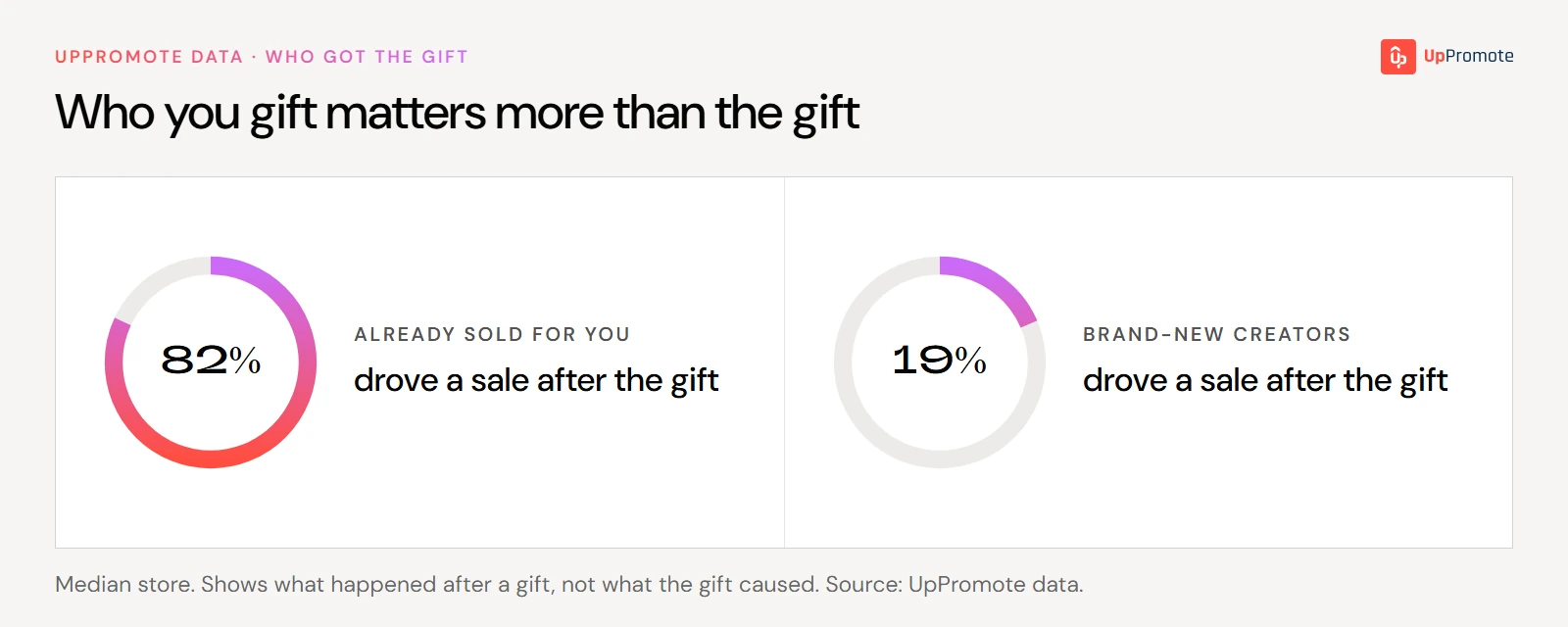
Sometimes, but less often than most brands expect. Across all the gifts in our data, only about one in five recipients went on to drive a sale.
| Who got the gift | Drove a sale afterwards (median store) |
| Creators who already sold for you | 81.82% |
| Brand-new creators | 18.52% |
| All gift recipients | 21.69% |
| Social creators (with an Instagram or TikTok account) | 23.33% |
The big difference is who you send it to. Creators who already sell for you mostly keep selling, and most new creators don’t start. These numbers show what happened after a gift, not what the gift caused.
So there are two ways to make gifting pay off:
- Gift creators who already sell for you. It’s the safest bet, and it works as a thank-you that keeps them posting.
- For brand-new creators, set the goal to match the odds. Either aim for awareness and content rather than sales, or, if you want sales too, gift enough creators that the 20% who sell adds up to something worth the cost.
How to run an influencer gifting campaign
Here’s the process, from picking creators to deciding who gets more.
1. Pick creators by fit, not follower count
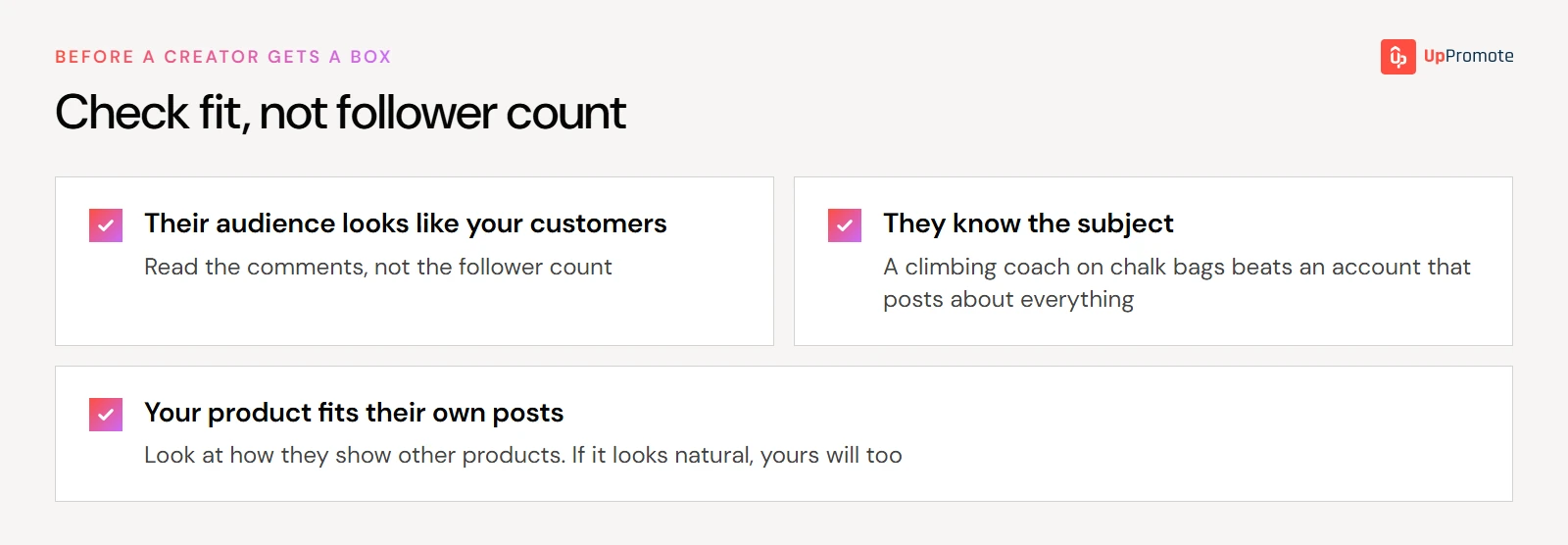
The creator’s audience matters more than its size. Before you add someone to your list, check three things:
- Their audience looks like your customers. Read the comments, not the follower count. Are the people commenting the people who buy from you?
- They know the subject. A climbing coach talking about chalk bags beats a lifestyle account that posts about everything.
- They’d fit your product into their own posts. Look at how they’ve shown other products. If it looks natural, yours will too.

Pongbot works this way. It sends samples only to qualified coaches and creators, so they can test its robots and film useful content. In about three months, affiliate marketing grew to around 20% of Pongbot’s overall sales (2026).
Smaller creators are usually the better bet for gifting. Brand and agency managers who run gifting programs give the same advice from experience: rather than a few big names, send to small creators who fit, see who sells, then put more behind them.
Research leans the same way. A 2025 study in the International Journal of Advertising found that gifted Instagram posts drew more engagement, and that the effect was stronger for smaller creators, whose followers felt the creator had their interests at heart. It measured engagement and purchase intent, not actual sales.
What about people who already sell for you? They’re the safest recipients. But a gift to them is a thank-you, not a test. Keep some of each batch for new creators, or you’ll never find the next ones.
For which tier to start with, see nano vs micro influencers, and for where to find them, how to find influencers.
2. Give each creator a code and link before the box ships
If a creator posts before they have a code, any sales from that post can’t be traced back to them. You can’t see what worked, and they earn nothing for it. That’s a bad start if you want them to post again.
So set up tracking first:
- List the creators you’re gifting.
- Create a discount code or tracking link for each one. Codes work better on video, links work better in bios and stories.
- Send it to them with a note that the gift is on its way. So they can post the day it arrives.
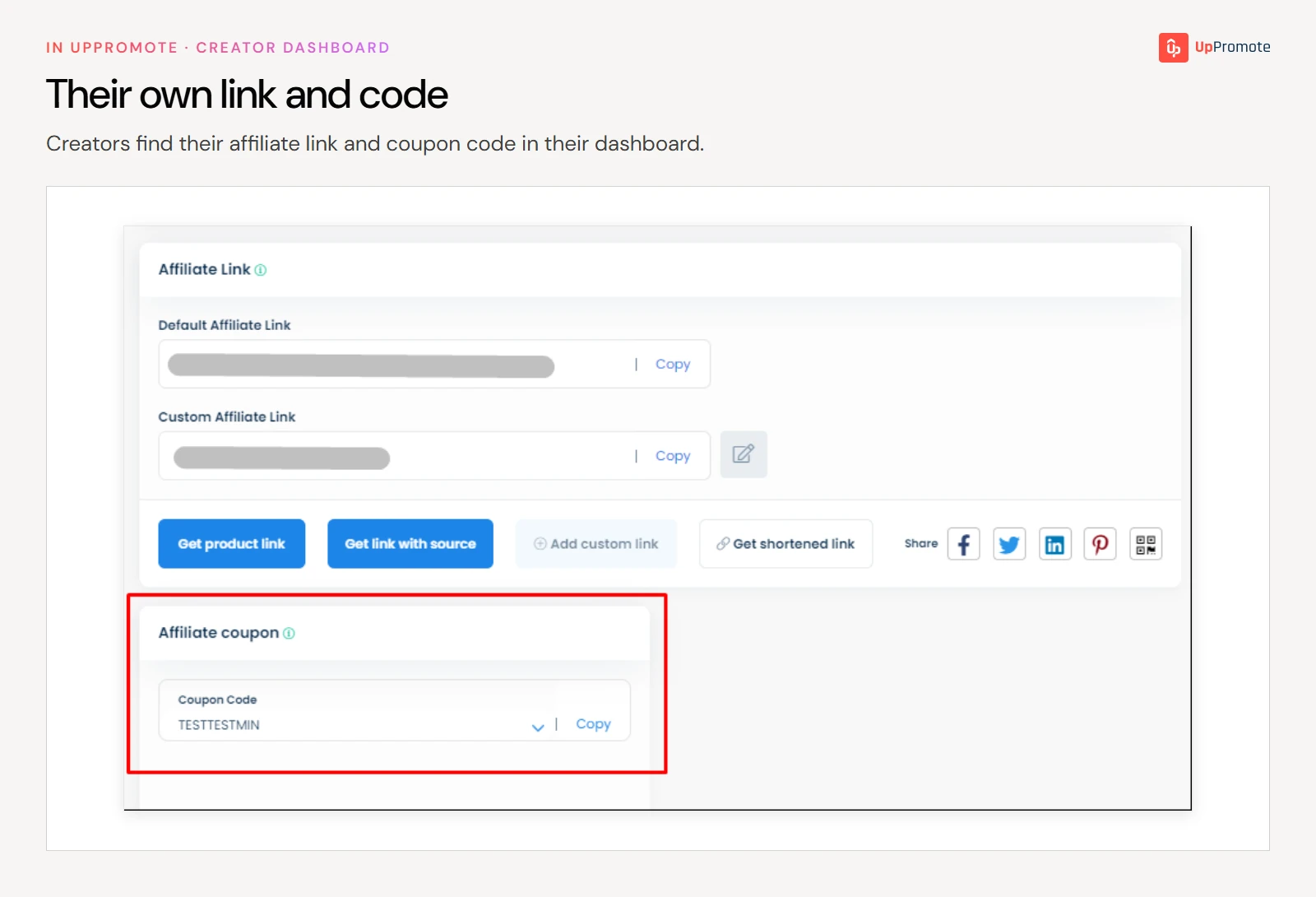
UpPromote handles all of this inside your affiliate program. Gifted creators get their own program, separate from customers who refer friends, with their own sign-up form and commission.
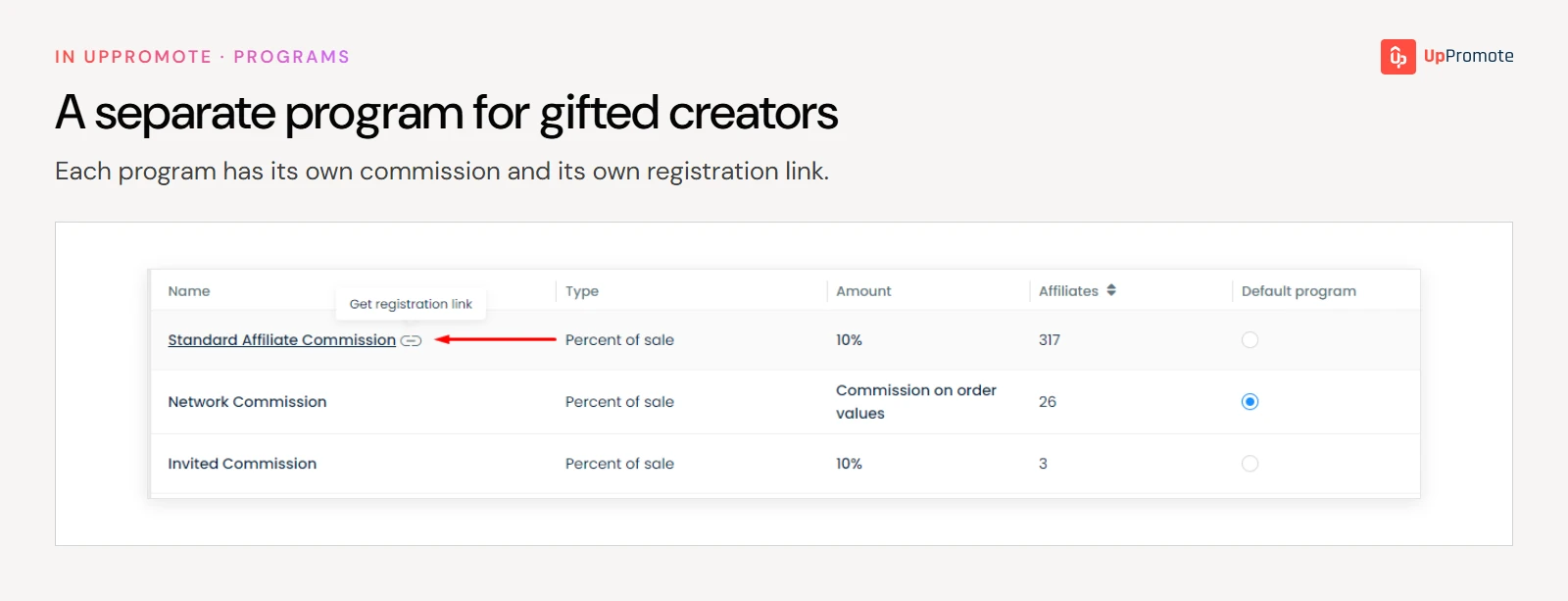
You choose a set of products and each creator picks the variant they want, so you don’t have to collect sizes and addresses by email.
Each creator gets their own link when they join, and you can give them a personal code too (a 0%-off code still credits them). When the gift is sent they get an email, and you can see who has claimed it and which orders came through their code or link.
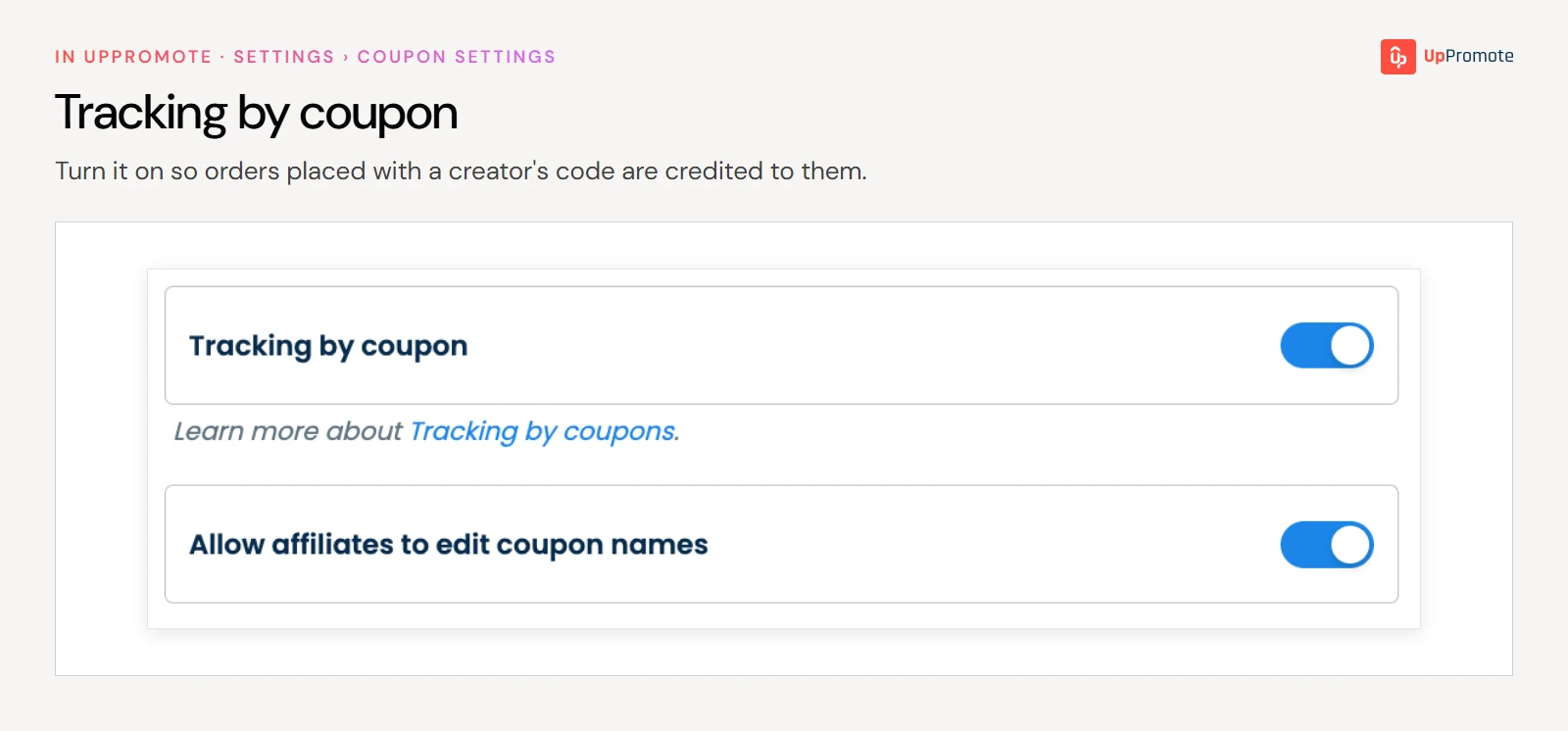
Before you start, turn on coupon tracking under Settings > Link & coupon > Coupon settings. It’s off by default, so until you turn it on, orders placed with a code aren’t credited to anyone.
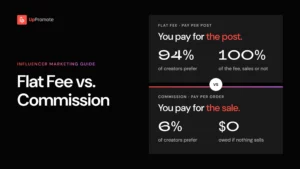
How much commission to offer is its own decision. Commission vs flat fee walks through it.
3. Decide whether the gift comes before or after they join
There are two ways to order this, and both work.
Welcome gift on joining. The creator signs up through your program’s registration form, and a gift goes out automatically when they join. This suits creators who come to you. Kakao Mischa gives new affiliates a welcome gift automatically when they join, and also sends gifts to top performers. Its affiliate program brings in about 20% of total sales (2025).
Gift first, invite later. You pick a creator, send them product, and invite them into the program only if they like it. This suits creators you reach out to. The Carnivore Bar sends free samples first and invites only the creators who love the bars, which keeps out deal hunters. Its affiliate base grew from 50 to 500 in just over a year, and affiliates drive 40% of its total revenue (2025).
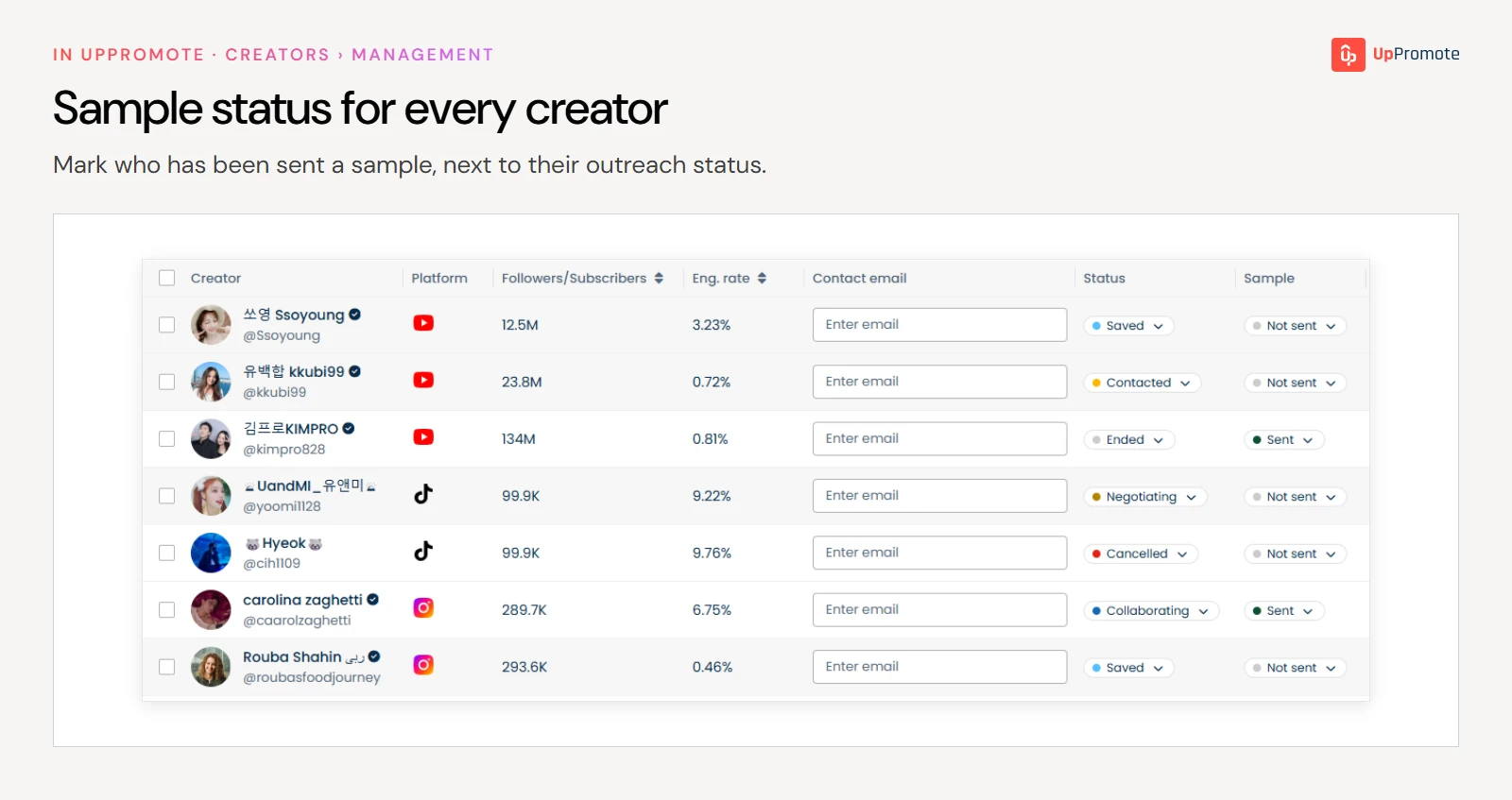
So pick the order that matches how creators reach you. If a creator hasn’t joined yet, ship the product yourself and track it as a sample in your creator list (in UpPromote, Creator Relationship Management has a sample status for this).
4. Let creators choose their gift
A gift only gets posted if the creator actually wants it, and the simplest way to make sure of that is to let them pick. Give them a set of products, and let each one choose the size, color or flavor that suits them. A creator who picked their own variant is getting something they’ll use, and something they’ll use is far more likely to end up in a post.
A few more things help a gift get posted:
- Make it personal. Brand and agency managers who gift at scale find that a gift with the creator’s name on it, or in the color they asked for, gets posted more often than a generic box.
- Send enough to share. A few extra units let a creator pass some to friends, which gives them more to film.
- Add a short note. A line on why you picked them, and a reminder of their code, goes a long way. What to write is covered in influencer gifting notes.
5. Send the gift, and what goes with it
A box with no context is easy to enjoy and forget. When you send the gift, send what the creator needs to post about it:
- Their code and link. Put them where the creator will see them: in the email that goes out with the gift, and on a card in the box.
- A short note. Say why you picked them and what you hope they’ll like about the product. Keep it personal, not a script.
- Light guidance, not a brief. One or two points worth mentioning, and any hashtag or handle to tag. Leave the rest to them.
- A line on disclosure. In the US, a creator who gets a product for free and then mentions it has to disclose that. The FTC’s guidance for brands says to ask gifted creators to state clearly in their posts that the product was a gift. The full rules are in FTC guidelines for influencers.
You can ship gifts by hand as orders you create yourself, but that gets tedious fast: one draft order, one address and one size question per creator.
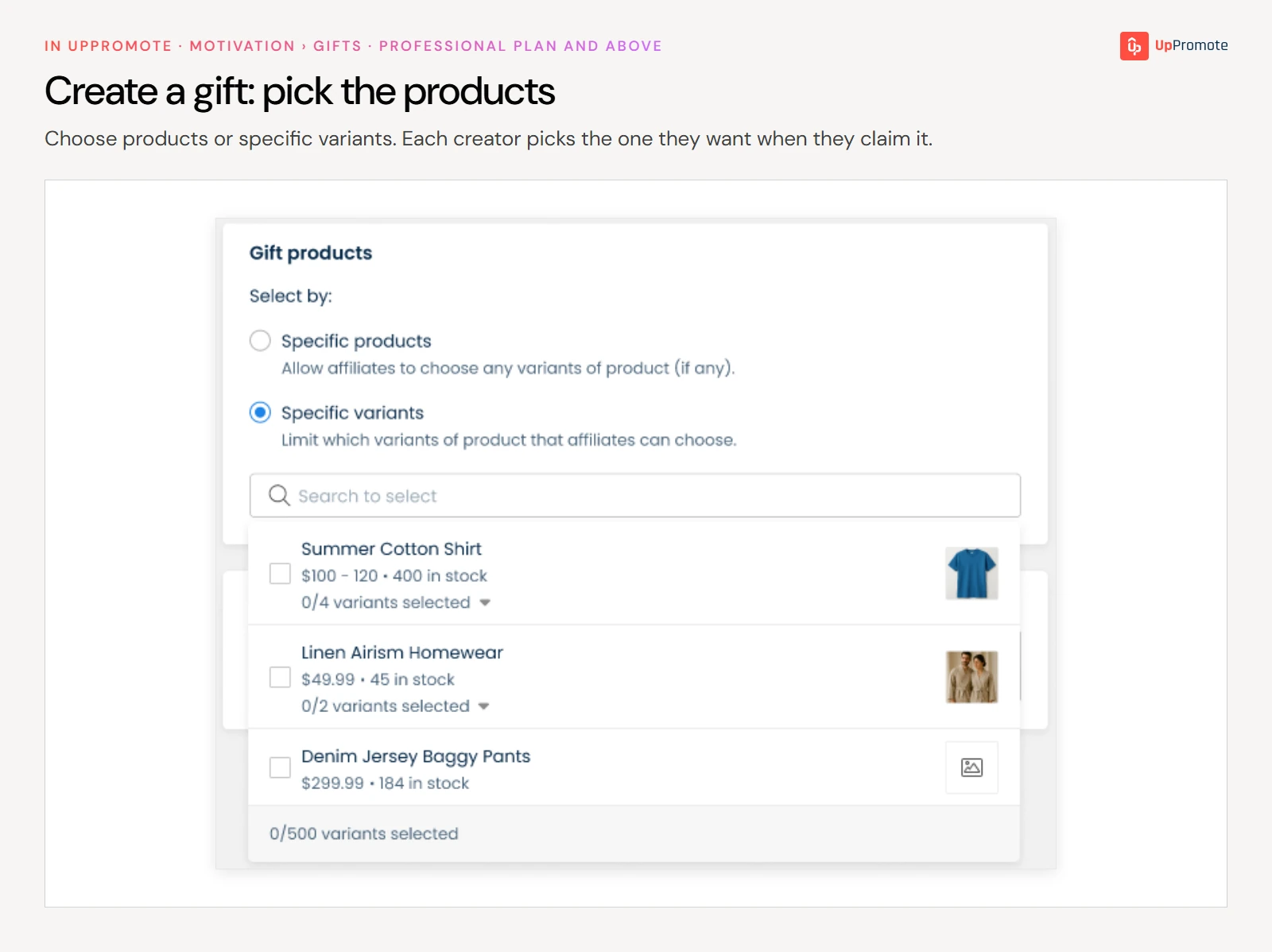
UpPromote’s Gifts feature, available on the Professional plan and above, takes that work off your hands. You set up one gift list, and each creator you choose gets an email, picks the products and variants they want, and claims the gift from their dashboard.
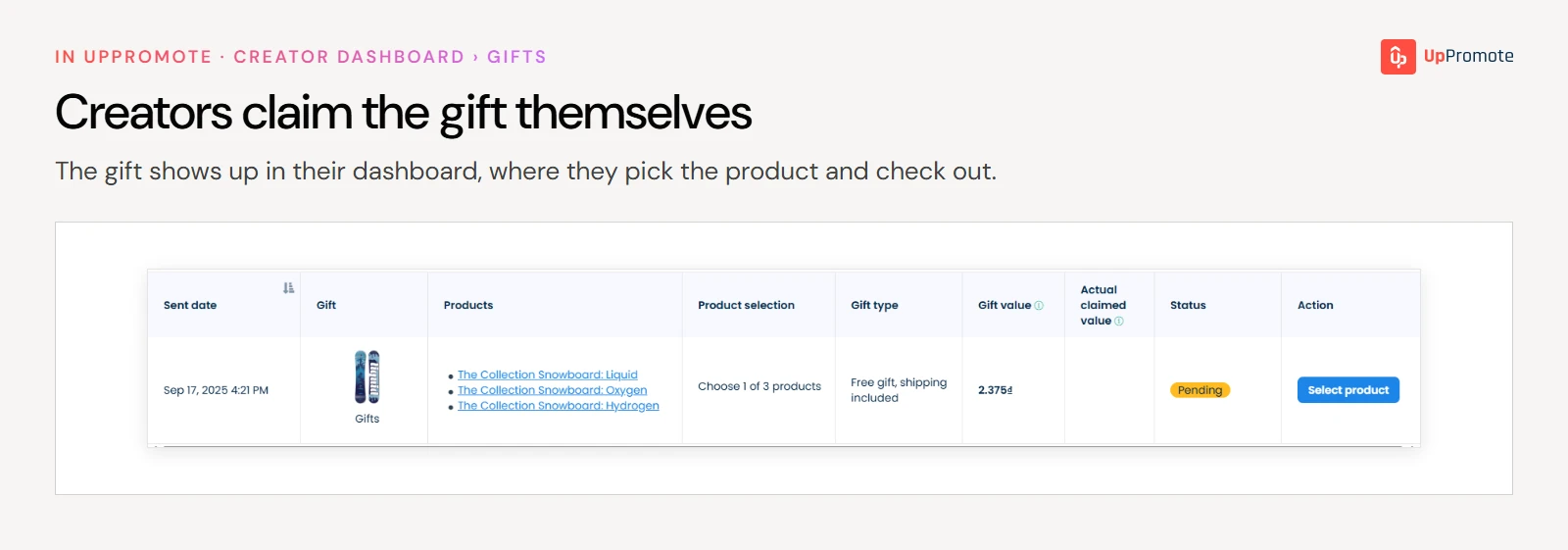
It can also go out automatically to every new member of a program. You don’t need to chase addresses or sizes, and the gift email is a good place for the disclosure line above. Full settings are in the Gifts docs.
6. Follow up at two weeks and at a month
Most gifting guides tell you to follow up, but few say when. Our data gives a clearer answer. We looked at brand-new creators who went on to make a first sale. At the median store, about a third of those first sales came within two weeks of the gift going out, more than half within a month, and three quarters within two months.
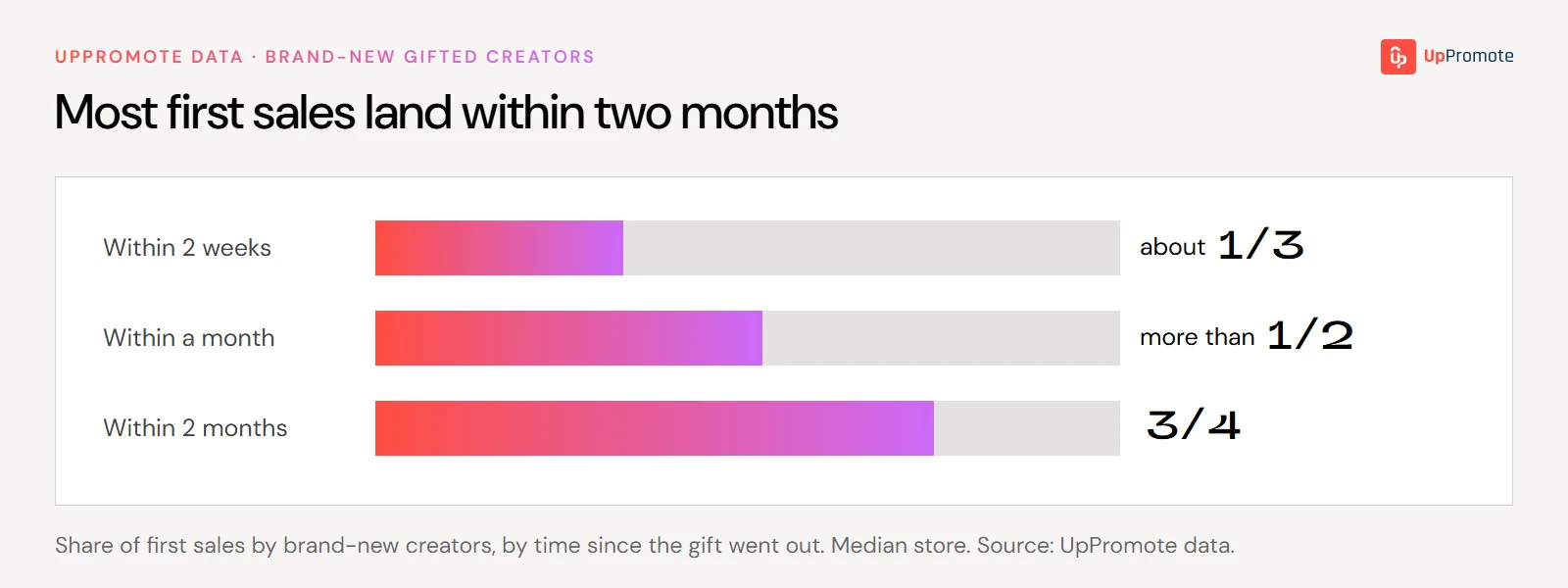
That gives you a simple schedule:
- Around two weeks after delivery, check in. Ask whether the gift arrived, whether they like it, and whether they have their code and link.
- Around a month in, send one last nudge. By then, more than half of the first sales that will ever happen already have.
- After about two months, move on. Three quarters of first sales have happened by then, so a creator who hasn’t sold yet is a weaker bet than the next batch.
For what to say, see influencer outreach templates.
7. Track claims, posts and sales, then reward the creators who sell
For each creator, keep track of three things:
- Did they claim the gift? In UpPromote, the History tab under Gifts shows who has claimed theirs.

- Did they post? UpPromote can’t see social posts, so log these yourself in a simple sheet.
- Did they sell? Your affiliate app credits each order to the creator’s code or link.
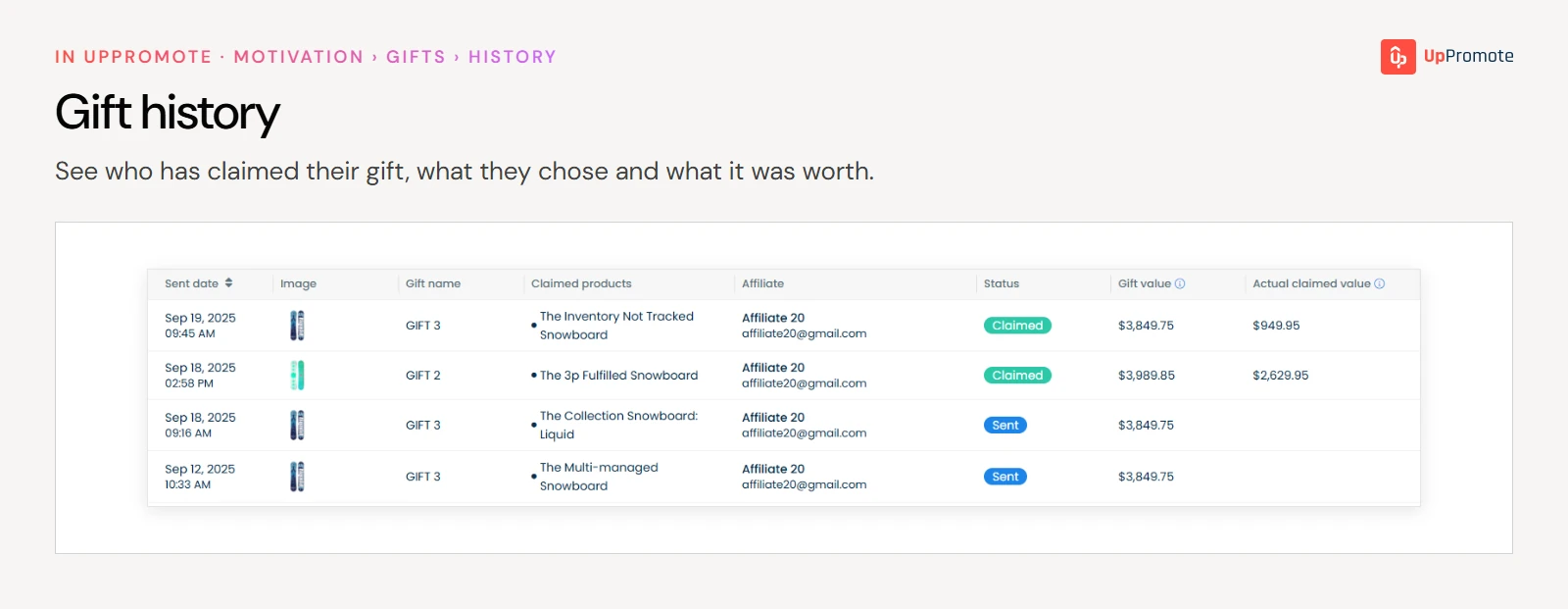
The third tells you who to keep working with, because a creator who sells once usually sells again. In our data, 70% of the gifts that led to a first order went on to bring two or more orders at the median store. More than a third brought five or more.
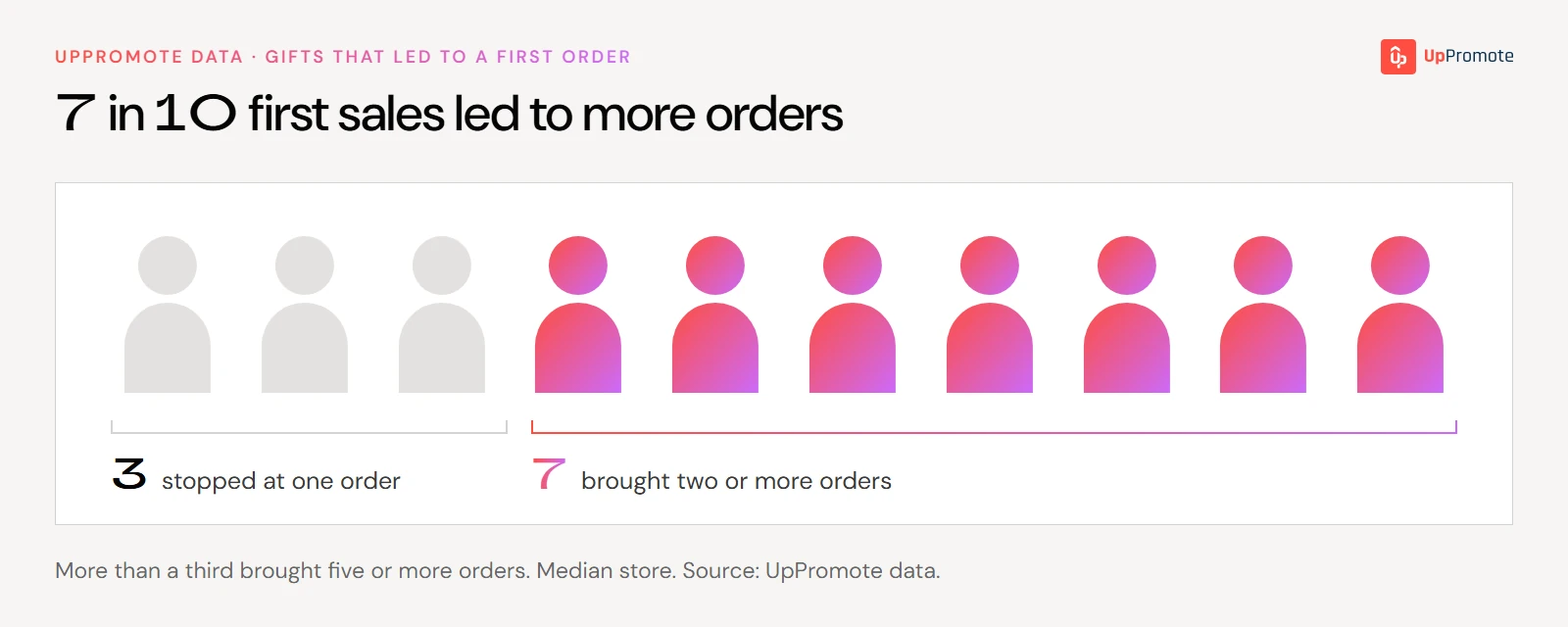
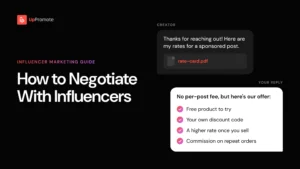
That makes the first sale your signal. When it happens, offer that creator a higher commission rate, a bonus or lifetime commission, rather than a flat fee. What you want from them now is more orders, and a flat fee doesn’t buy orders. How to have that conversation is covered in how to negotiate with influencers.
How much does influencer gifting cost?
The gift is the cost you pay up front: what the product costs you to make or buy (not its retail price), plus shipping. Everything after that is commission on sales that already happened.
Here’s an example with made-up numbers. Say you gift 20 brand-new creators a product that retails at $40 but costs you $15, plus $8 shipping each. Your average order is $50, and you pay creators 10% commission on each order they refer.
| Gifting 20 new creators | Amount |
| Gift cost per creator (product cost $15 + shipping $8) | $23 |
| Total gift cost (20 × $23) | $460 |
| Creators who drive a sale (about 1 in 5) | 4 |
| Orders, if each of the 4 brings 3 orders | 12 |
| Revenue from those orders (12 × $50) | $600 |
| Commission paid (10% × $600) | $60 |
| Total cost (gifts + commission) | $520 |
| Cost per order ($520 ÷ 12) | About $43 |
So the number to hold up against your margin is the cost per order. In this example, each order has to leave you more than about $43 for the batch to pay for itself on those orders alone. If you use an affiliate app, add its monthly fee too.
Don’t plan on the average. How many orders each seller brings varies a lot from store to store, and a few heavy sellers pull the average up. Plan on a few creators with a few orders each, and treat any heavy seller as upside. The content and awareness the other creators bring are on top.
What should an influencer gifting platform do?
Whatever tool you use, it should handle five jobs:
- A claim flow, so creators choose and claim a gift without you collecting addresses by email.
- Variant choice, so they get the size or color they want.
- A code and link per creator, so the first post can already earn commission.
- Sales tracking per creator, so you can see who sells.
- Sample status, so you know who got what and who to chase.
UpPromote’s Gifts and Creator Relationship Management cover these inside your affiliate program. UpPromote is built around that program, so if you only want to ship product and never pay commission, a dedicated gifting tool may suit you better. For a comparison of named platforms, see best influencer marketing platforms.
Final thoughts
Influencer gifting works best as a way to find sellers, not as a way to buy posts. Most brand-new creators you gift won’t sell, but the ones who do usually keep selling.
So be choosy about who gets the box, give every creator a code and link before it arrives, follow up at two weeks and a month, and put more behind the few who sell.